Interaction design for accessibility

2022 Design research | Interaction design UX design lead
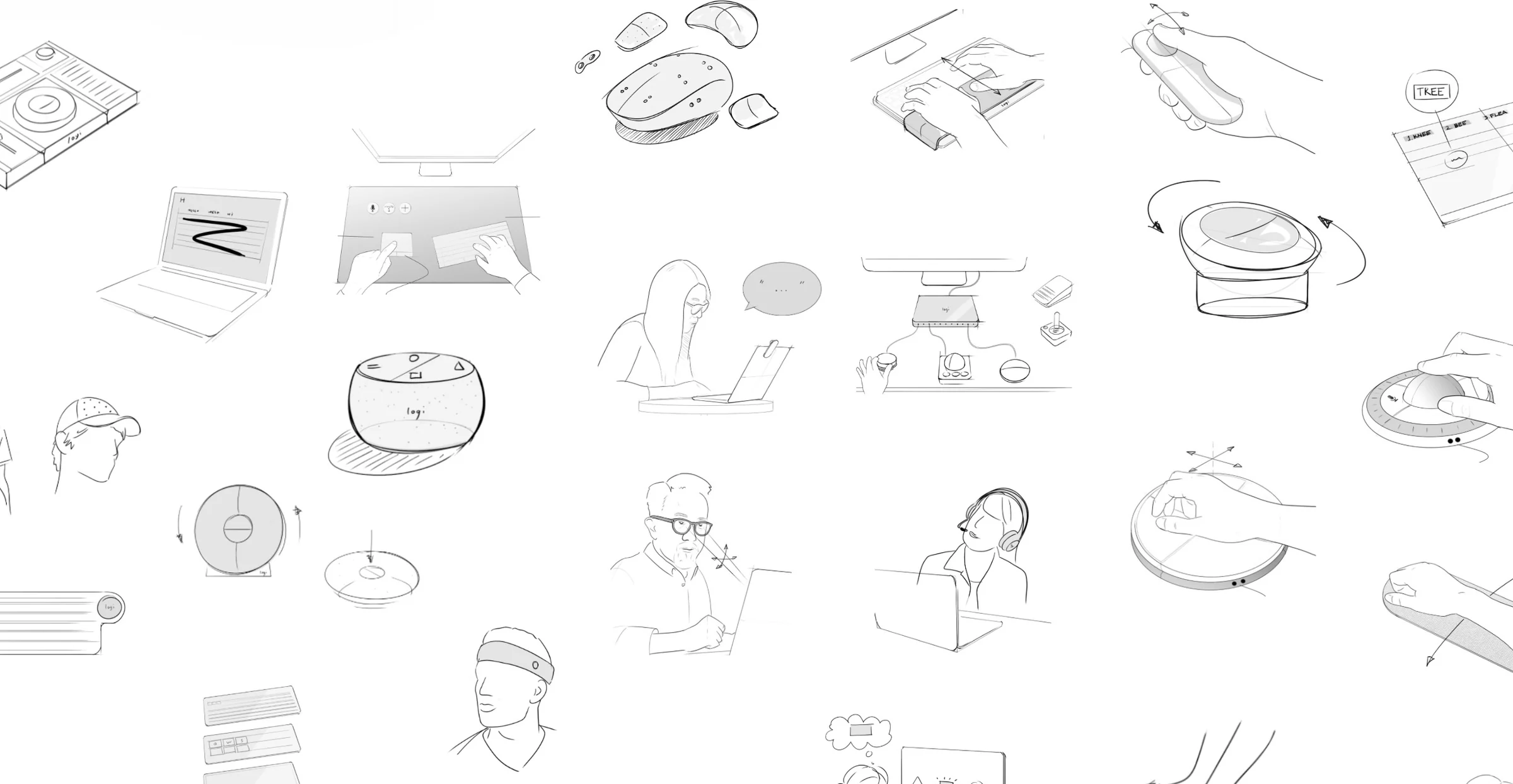
A wall of early concept provocations and input device prototypes

Context

Project scope

In 2022, the Logitech design team kicked off a project to improve the workspaces of people with upper limb impairments so they can have more equal access to work and educational opportunities. Given that this was the first time our team was looking closely at this user group, the goal of the project was explorative: how should interactions be designed to become adaptive?

I owned the UX of the project, working alongside industrial designers and reporting directly to the global head of UX. My role was to bridge every hardware and software interaction.

Understanding a new user

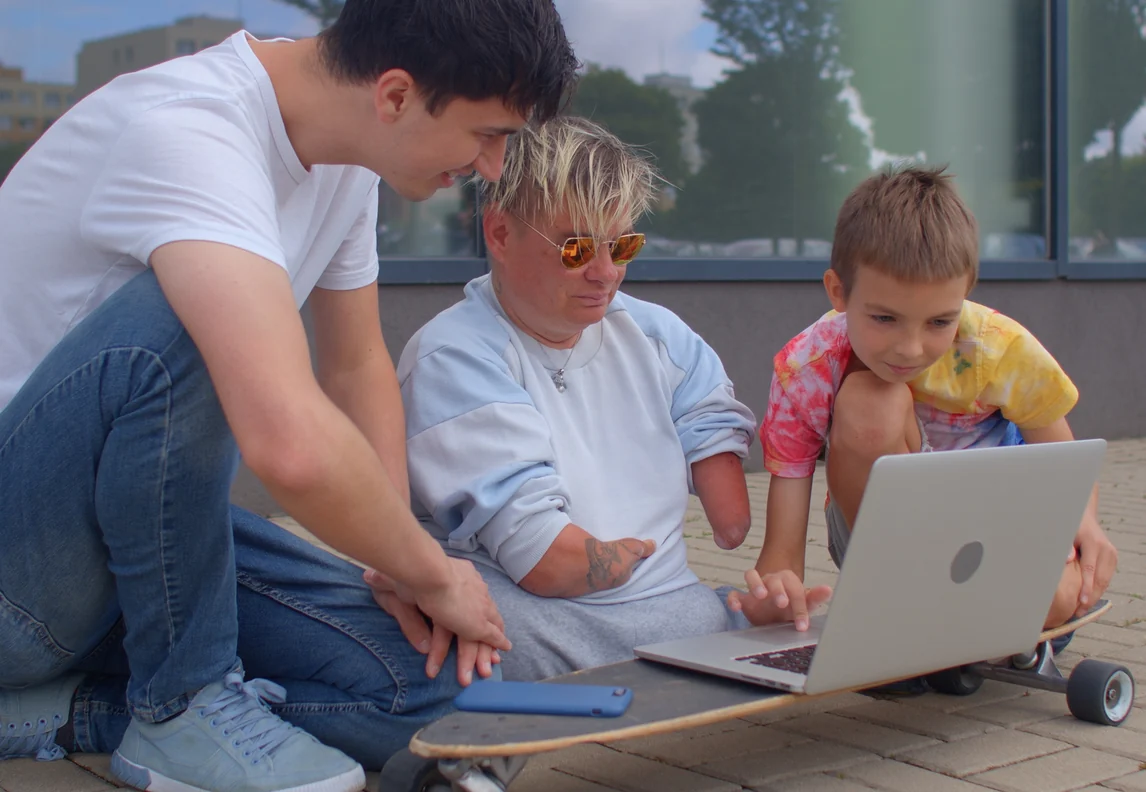
A designer and two children testing a laptop setup on the floor
Physical needsWhat challenges do users face when using their setups?
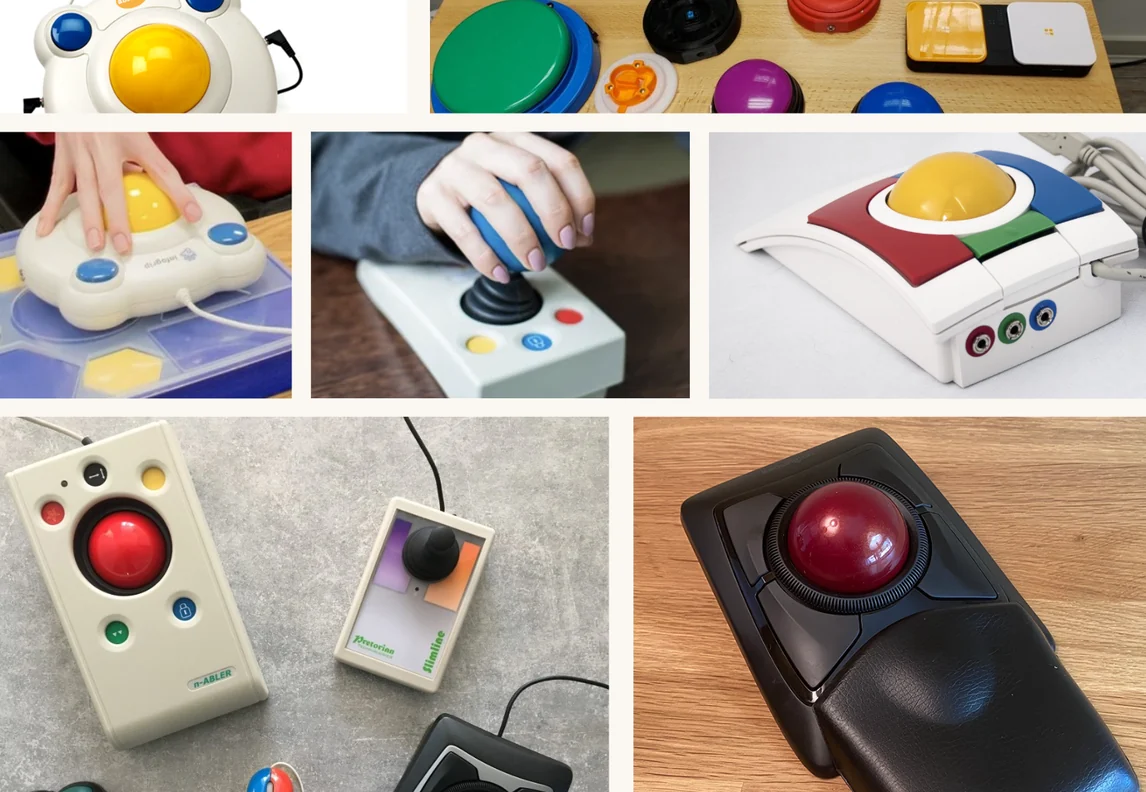
A grid of existing assistive input devices: big-button trackballs, joysticks and switches
Attitudes toward technologyHow do users feel about the setup they work with?
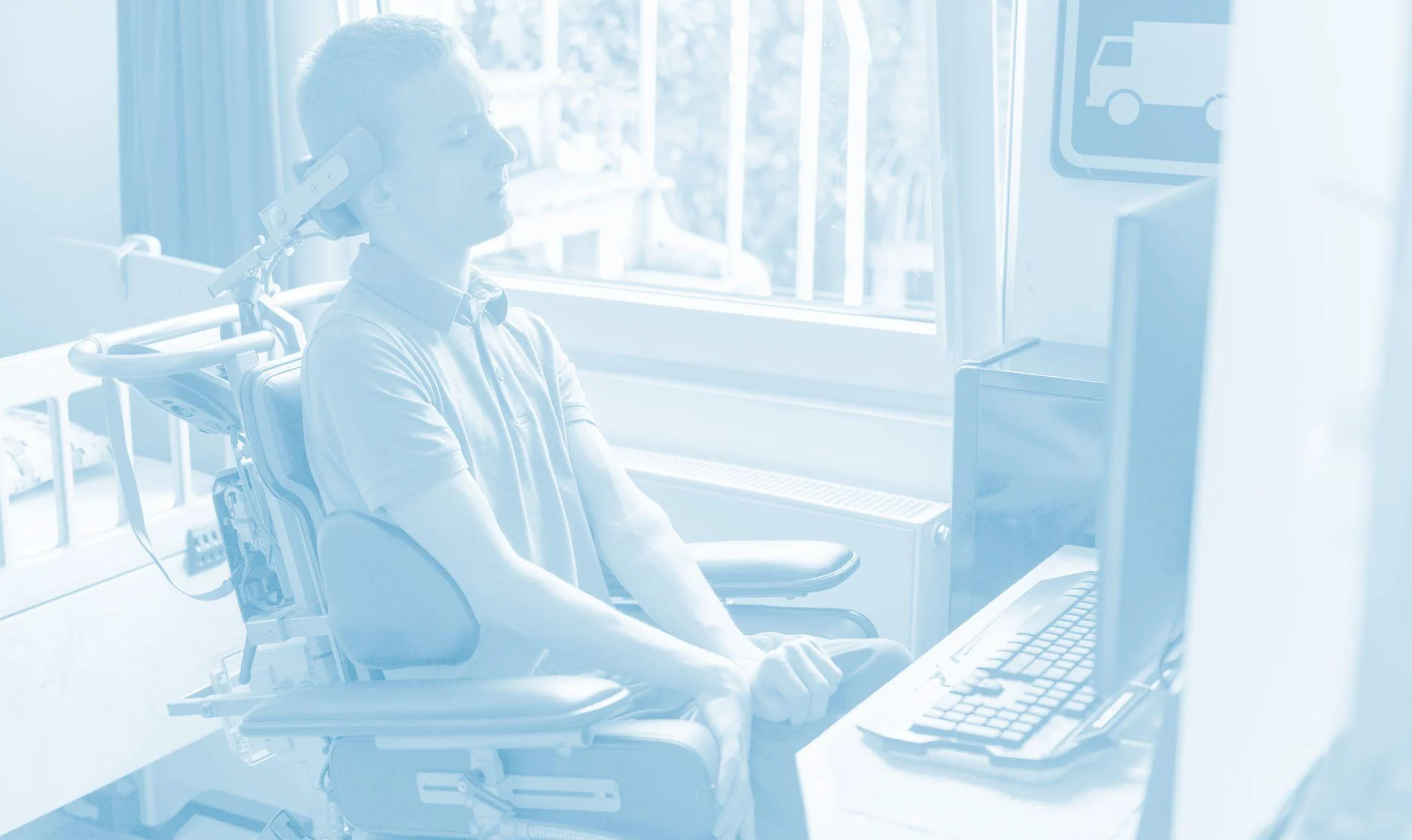
A man in a wheelchair working at a computer
For the first time, Logitech looks at users with limited mobility constraints caused by upper limb impairments.

Research

Framing user groups and their needs

Both directly and through agencies, we assembled a user panel of 26 users with disabilities. The level of disability varied from no use of limbs from the neck down through to impaired motor use from conditions such as multiple sclerosis or fibromyalgia.

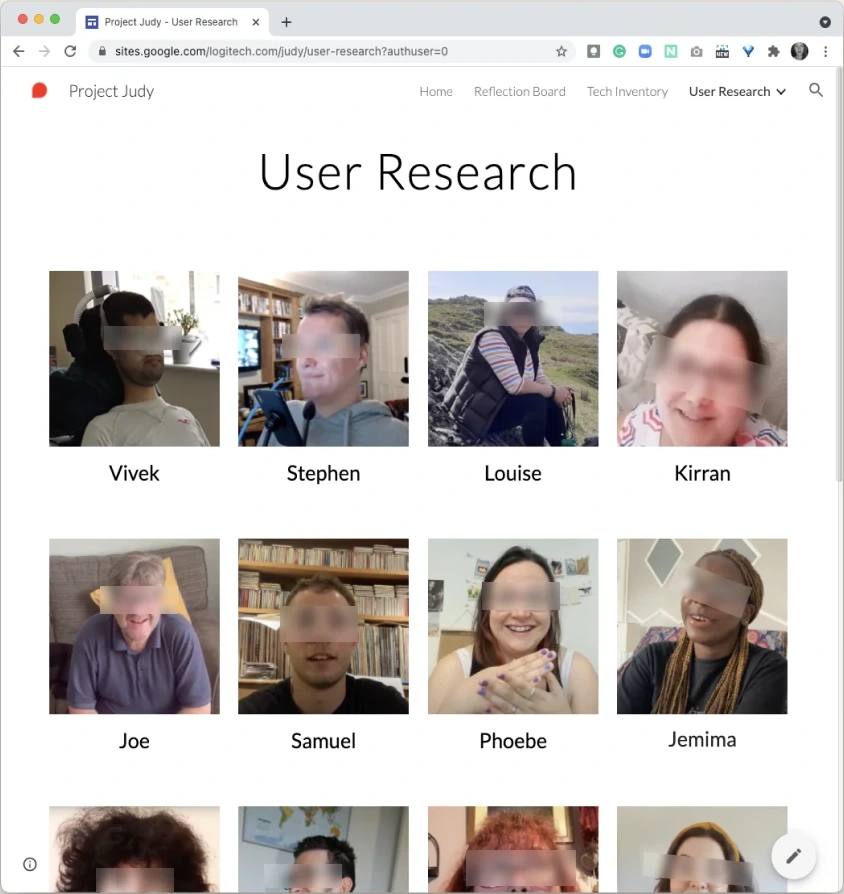
The internal Project Judy site: a grid of research participants with blurred faces
Internal repositoryAn internal website collected information on mouse and keyboard users with upper limb impairments. Occupational therapists consulted on the research and joined some sessions to help participants feel at ease.
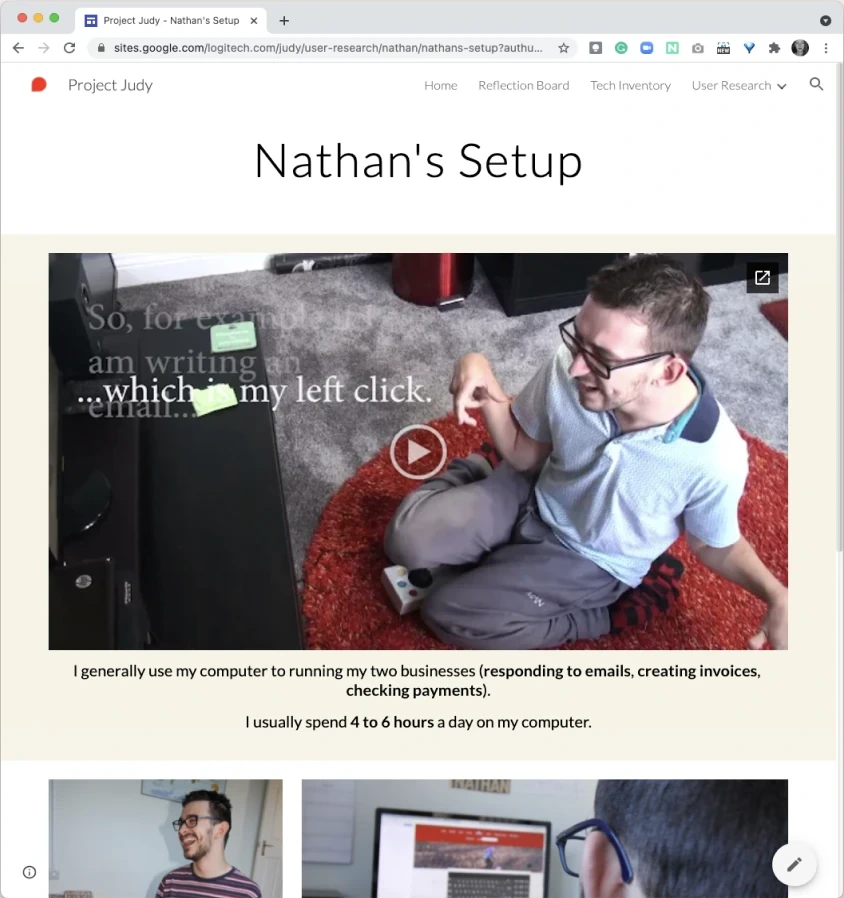
A user diary page: Nathan's setup, with a video of how he uses his computer
User diariesAfter at-home and remote interviews, each participant’s information became a user diary. To keep the research accessible, participants filmed in their own time and interviews included several breaks.
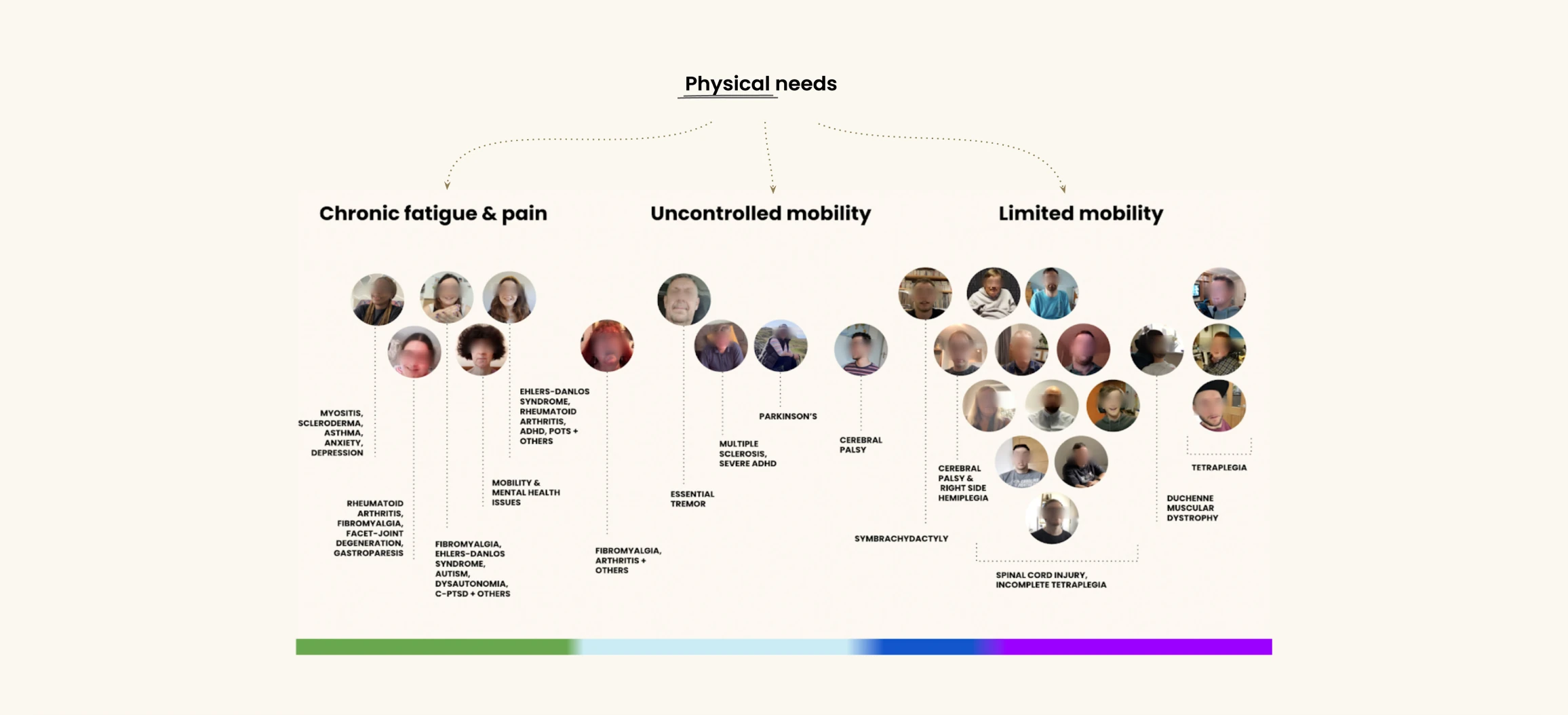
Participants clustered by physical needs into chronic fatigue and pain, uncontrolled mobility and limited mobility, along a colour spectrum
Physical needsPhysical needs were clustered according to the type of impairment each user experiences. Occupational therapists helped the UX team do this clustering. The result is more like a spectrum, rather than clear user groups. This mirrors the permanent, temporary and situational spectrum of inclusive design: a device built for limited mobility also helps someone with RSI, a broken wrist or a busy hand.

Emotional needs are what motivate our users the most
  • Variety & rest
  • Normalised design
  • Independence
  • Affordability & easy access
  • Customisation through testing & expert help
1Users tend to stick with what they’re given in the first instance

Unless the user was used to optimising their setup (e.g. gamers) most users with upper body impairments use the devices they are originally given, instead of looking for better alternatives. This resistance is higher than among non-disabled people.

“I was given this setup when I was still in the hospital. Now it’s been so many years—I still have Windows 95. It’s prone to fail, which can be very frustrating, but it’s good enough for me and I haven’t really looked at alternatives.”

Stephen, limited mobility

2Assistive design looks and feels extremely stigmatising

Users want something that doesn’t make them feel different. However, most assistive technology on the market is colourful, toy-like and anything but discreet.

“I know I should get one of those devices with big, colourful, chunky buttons. But I like feeling I can still use normal stuff”

Padraig, limited mobility

“I knew Dragon [voice control tool] could have helped me but I was too embarrassed to use it at University. Then I graduated and never decided to pay for it by myself.”

Jemima, chronic pain & fatigue

3Attitudes toward technology

THE EXPLORER THE SAGE THE STUCK THE NOVICE Awareness of existing solutions; Confidence with their setup Inertia: how much they are willing to change

4Attitudes toward technology

Emotional needs

Most of the time, the choice for a device over another is purely emotional. This is where the design team understood how underserved this audience was.

Design

Design principles

Adapts to youSolutions that can be customised to fit unique needs.
Made for allSolutions that are meant to be used by anyone.
Fosters varietySolutions that enable using different abilities throughout the day and years.
Enables independenceSolutions that are easily accessed and used on a daily basis without requiring the help of others.

Ideating concepts for users with limited mobility

Our design team split into smaller sub-teams. While leading my team, we focussed on users with limited mobility. We then started brainstorming potential solutions for them.
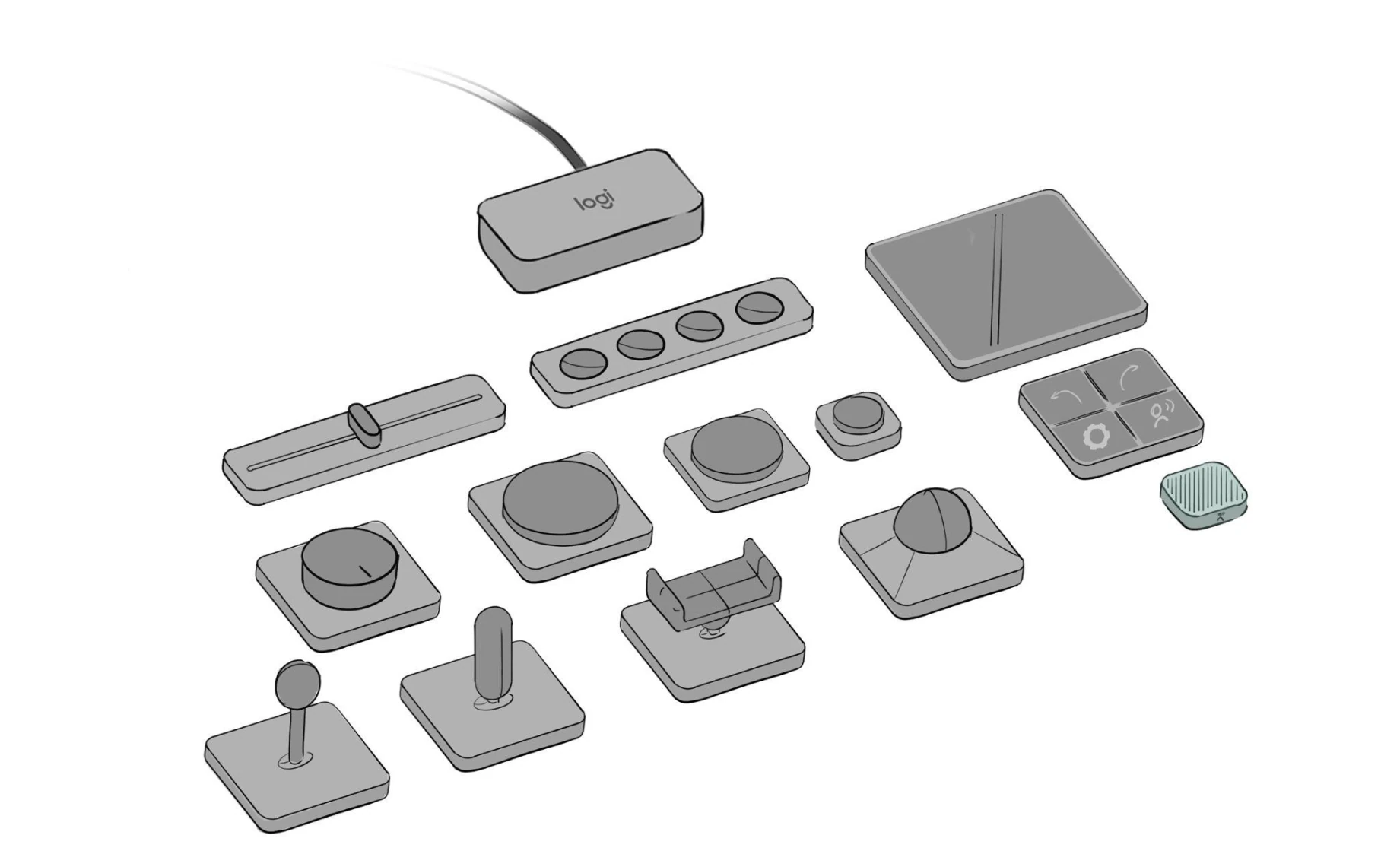
Sketch of a kit of modular input devices: buttons, sliders, joysticks, a trackball and a touch pad, all connected to one hub
North starOur North Star was to eventually design a Versatility Kit: deconstructing the workspace with various input devices that users can choose and combine according to their needs.
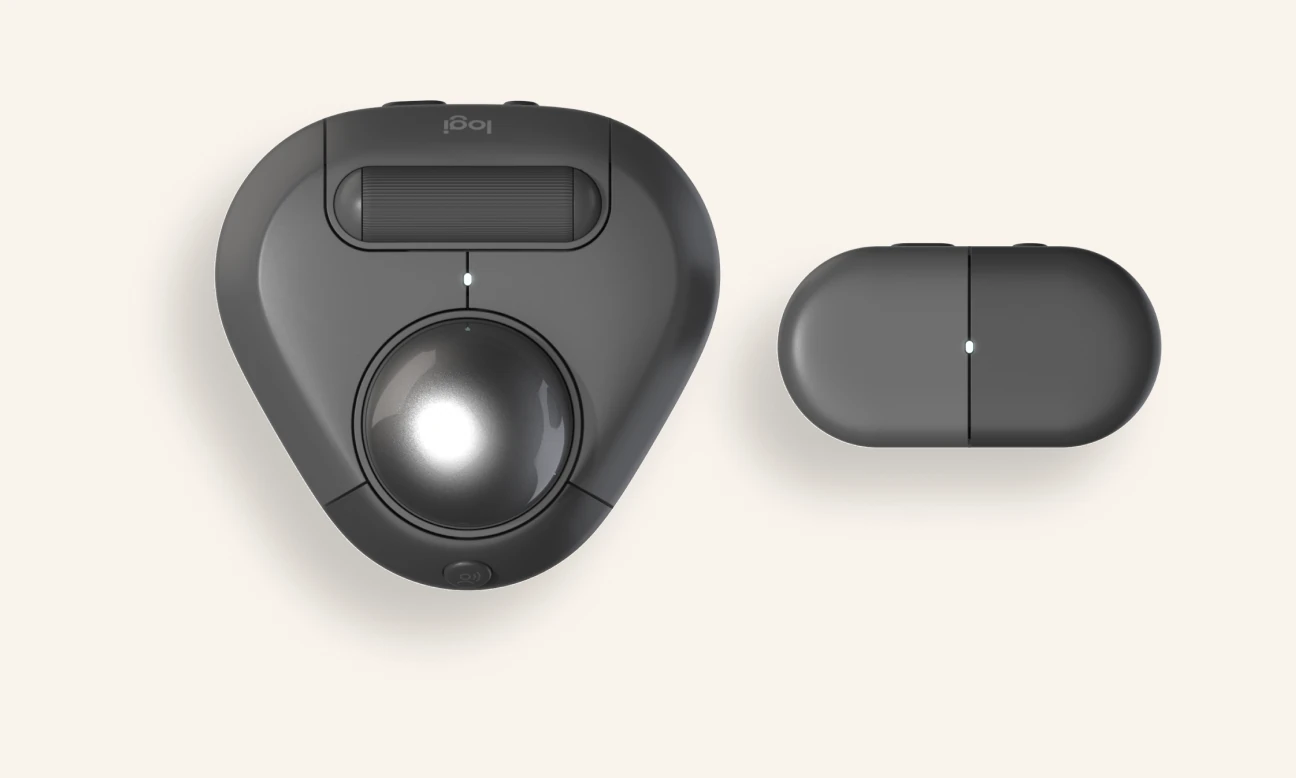
Render of the first two products: a triangular trackball and a two-button module
The first products of the Versatility KitThe minimum viable products to design a Versatility Kit are a voice-triggering trackball and a set of pushbuttons. Each choice traces back to the research: they look like any other Logitech product, to avoid stigma; the modules can be moved to different parts of the body, for variety and rest; and the voice trigger lets users get going without anyone’s help.
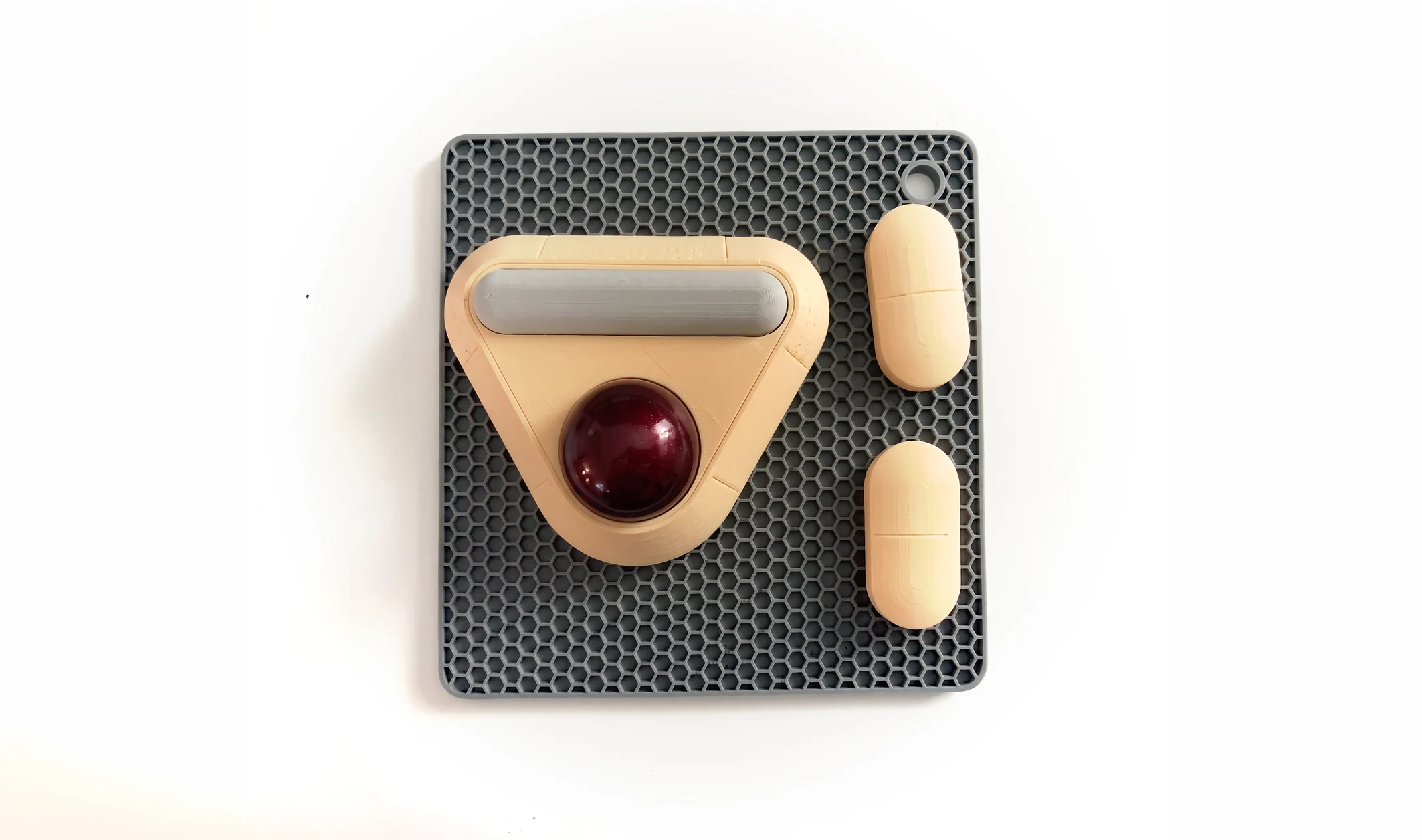
3D-printed prototype: a beige trackball and two pill-shaped buttons on a grey mat
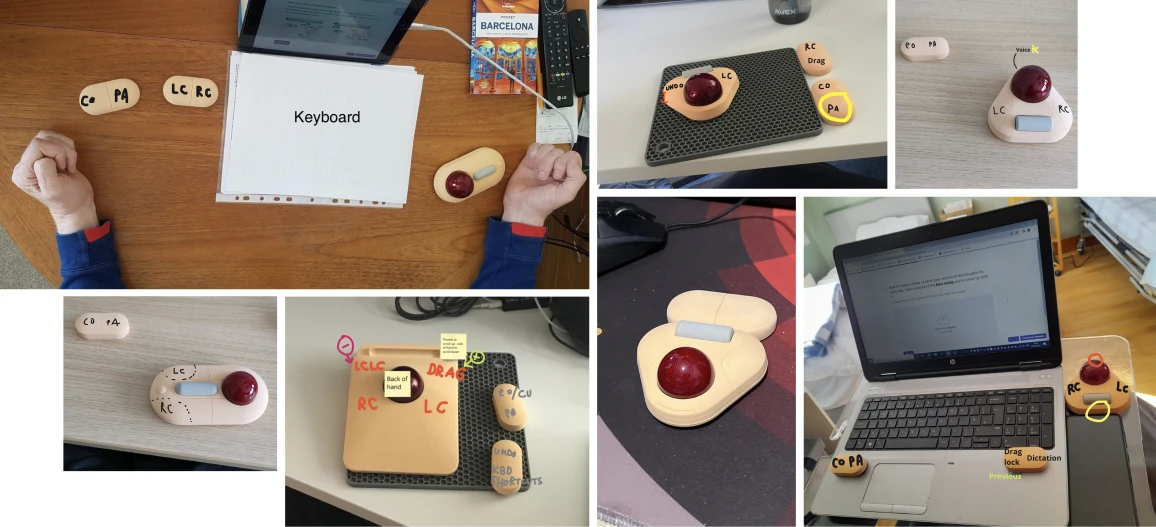
Photos from user tests: prototypes on participants' desks, annotated with which buttons they mapped to which actions
Prototyping and testingI led four rounds of iteration with users: we made a prototype, sent it to their homes, then interviewed them on ergonomics, usability and desirability before starting the next round. We began with 15 users, then focused on a core circle of 5 once their common needs became clear.
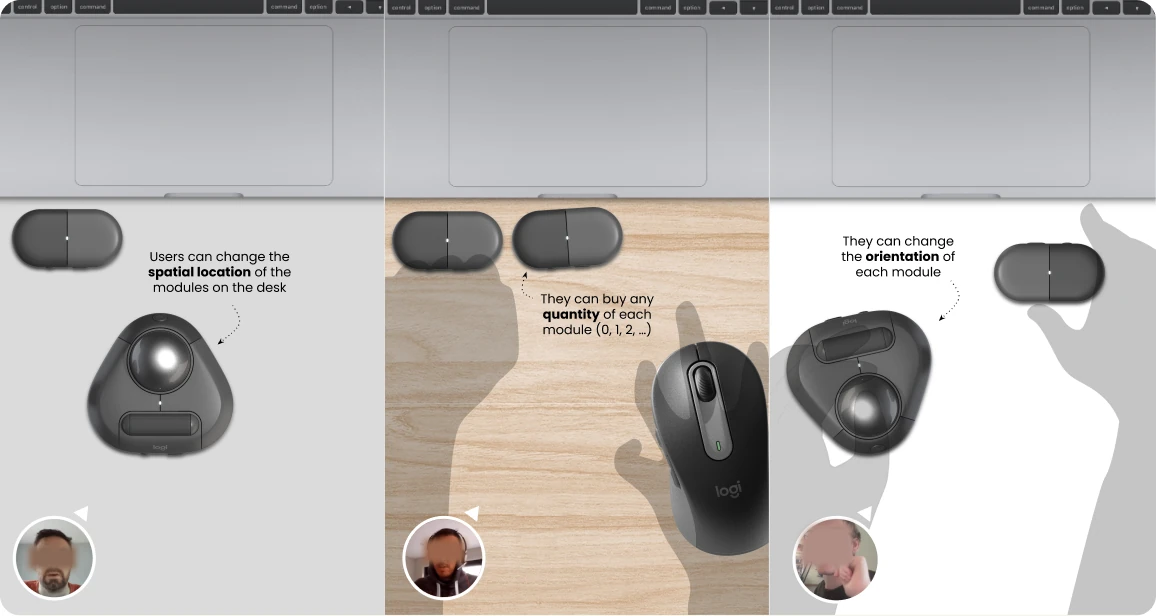
Three use cases: users can change the spatial location of the modules, buy any quantity of each module, and change each module's orientation
Illustrating use casesFurther developing the core idea of a versatile deconstructed device, I defined the main contexts of use to write software requirements.

Hardware and software features

As UX design lead for this product, I defined the key interactions of the physical device and designed the hero flows in our software, Logitech Options+, where each button can be customised by the end user.
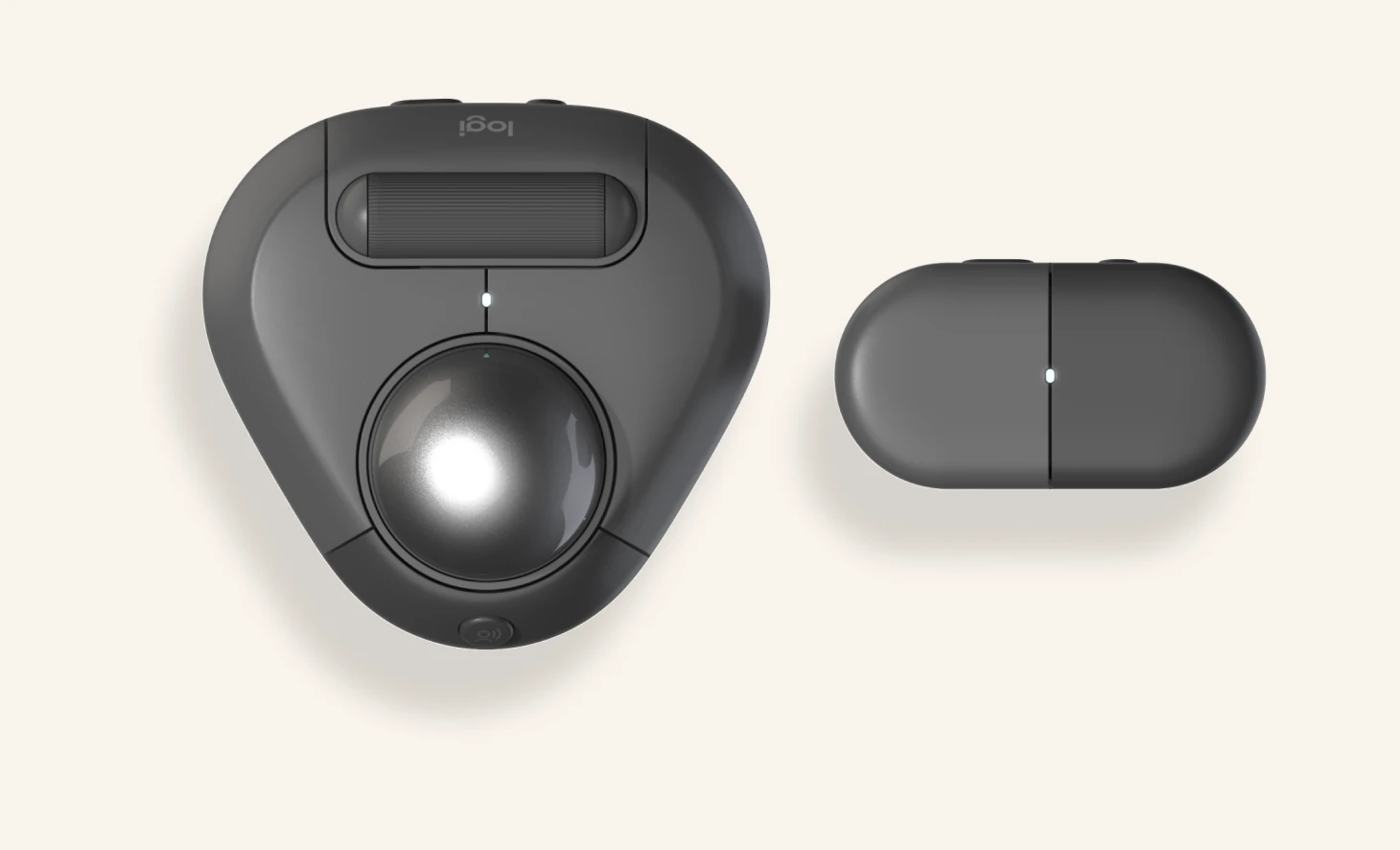
The trackball and the two-button module Left clickOn/OffConnectVertical scrollPointRight clickLeft clickRight click

Impact

Design patent

The project concluded with our design team presenting and demoing the concept to the Business and Engineering groups. The concept was granted a US design patent and added to our roadmap, and handed over to a product manager and a dedicated design team.
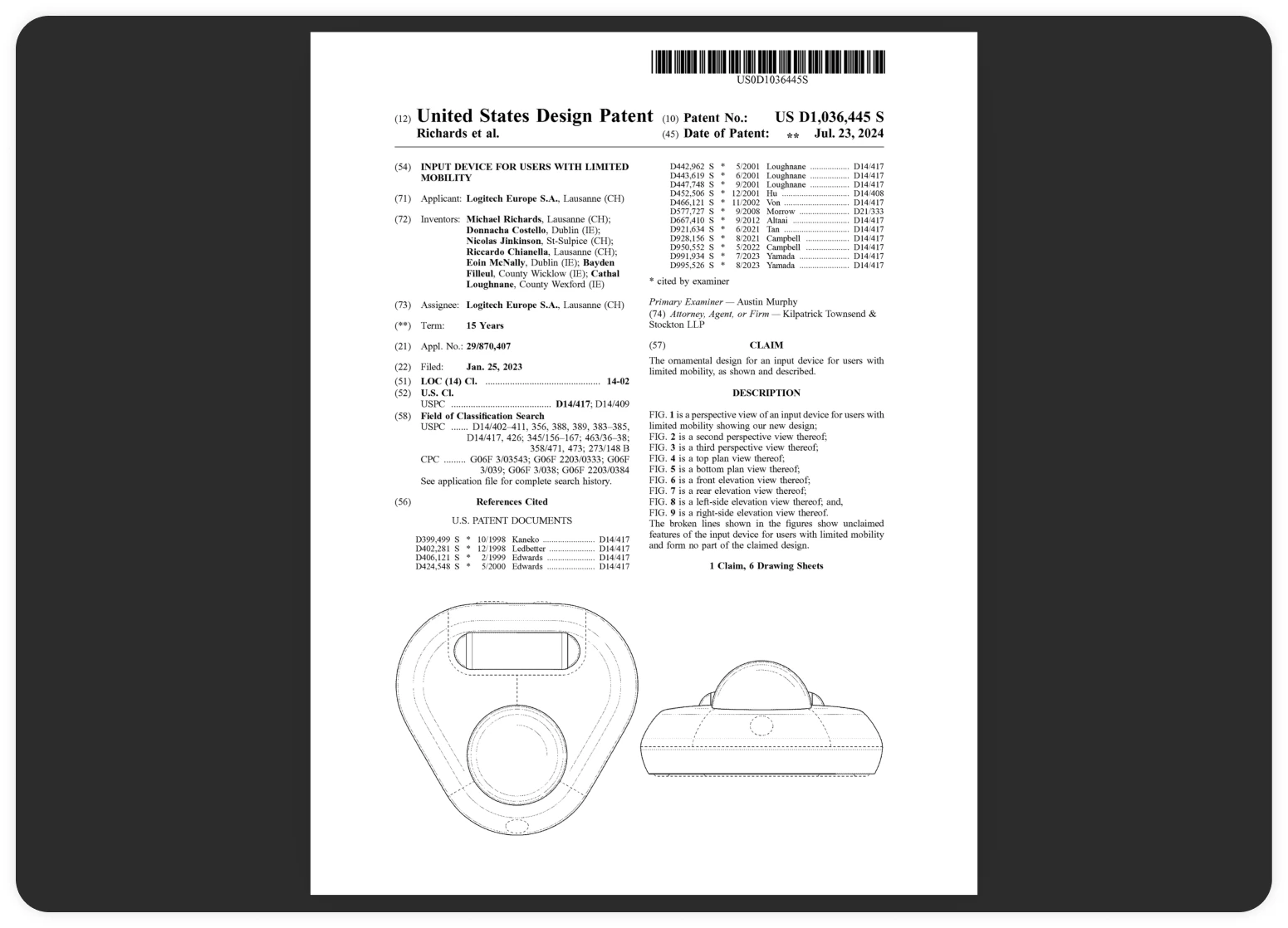
First page of US design patent D1,036,445 S, Input device for users with limited mobility, with drawings of the trackball

Patent No. US-D1036445-S1The last deliverable of the project was patenting the concepts judged most viable for our company. “Input device for users with limited mobility” was filed in 2023 and granted in July 2024, with me as one of its named inventors.

From research to a launched product

Our research and UX learnings became the foundation for Logitech’s Adaptive Pebble (opens in a new tab): free 3D-printable add-ons that adapt the Pebble Mouse’s weight, grip and way of clicking to different hand mobility needs. The project launched publicly, and it invites the community to design and share their own add-ons.